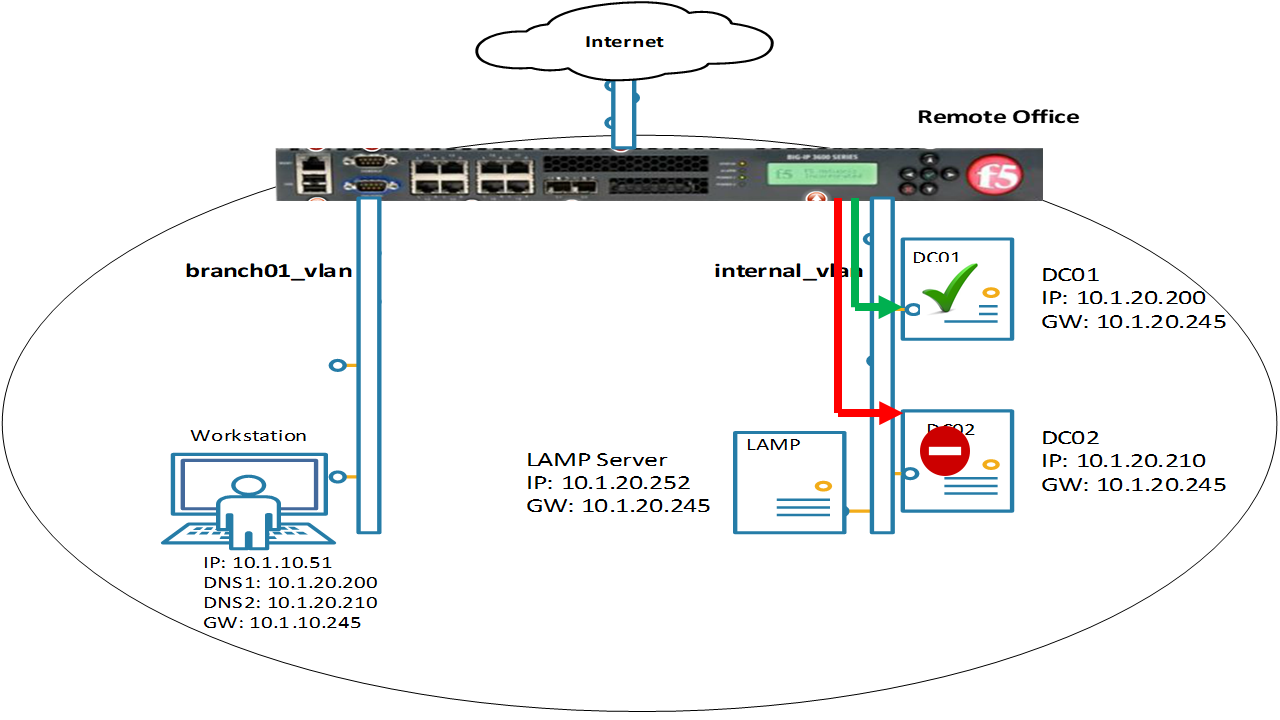
1.3. Results
Navigate to: DNS ›› Delivery : Load Balancing : Pools : Pool List
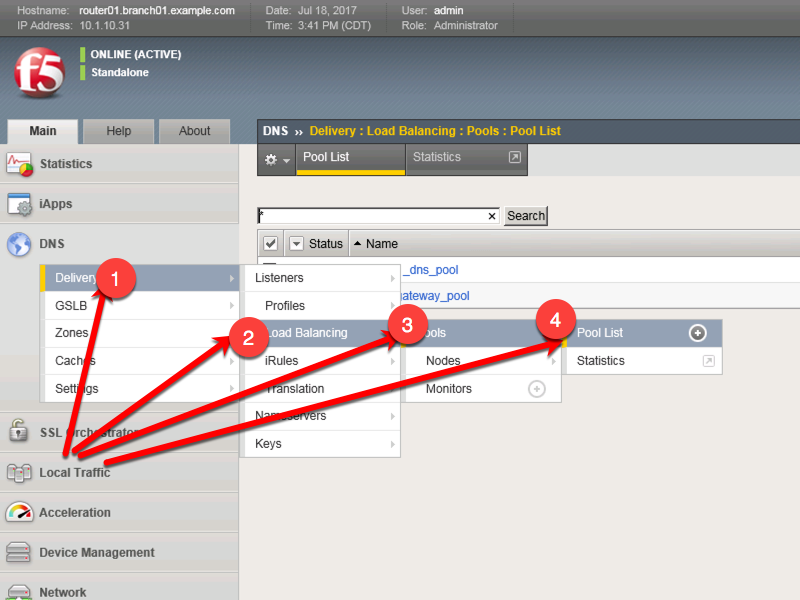
https://router01.branch01.example.com/tmui/Control/jspmap/tmui/dns/pool/list.jsp
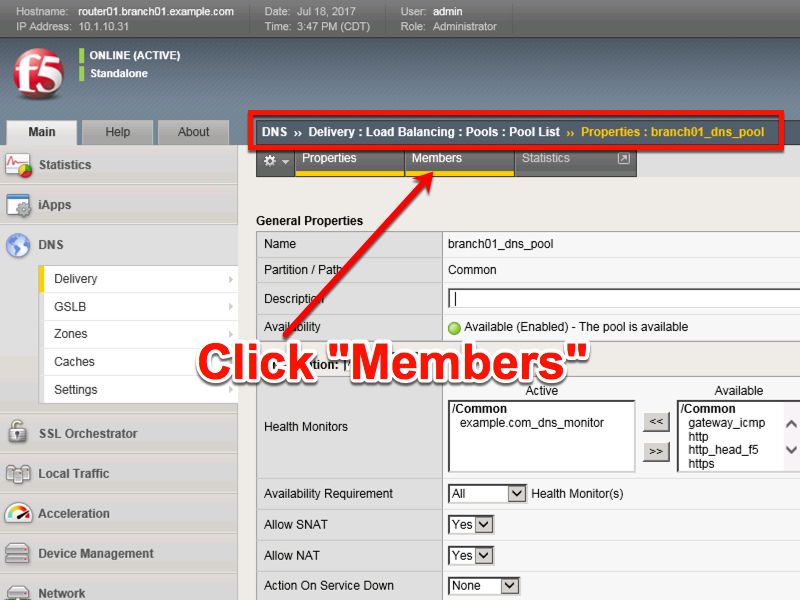
Click to select “branch01_dns_pool”, and then select “Members”
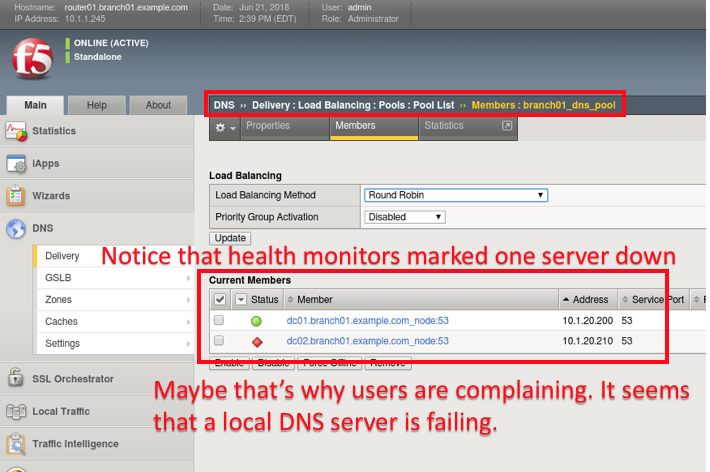
Notice the health status of the existing DNS infrastructure.
TMSH
tmsh show ltm pool branch01_dns_pool detail