5.1. Trust Anchors
Create a trust anchor to validate content in a DNS response.
We will use the terminal emulator window for this task because it’s easier to copy and paste than from the Putty window. You will find the terminal emulator icon in the task bar at the bottom of the jumpbox desktop (black square with $).
Using a terminal emulator window, ssh into router01.branch01 (10.1.10.245) and run the following commands:
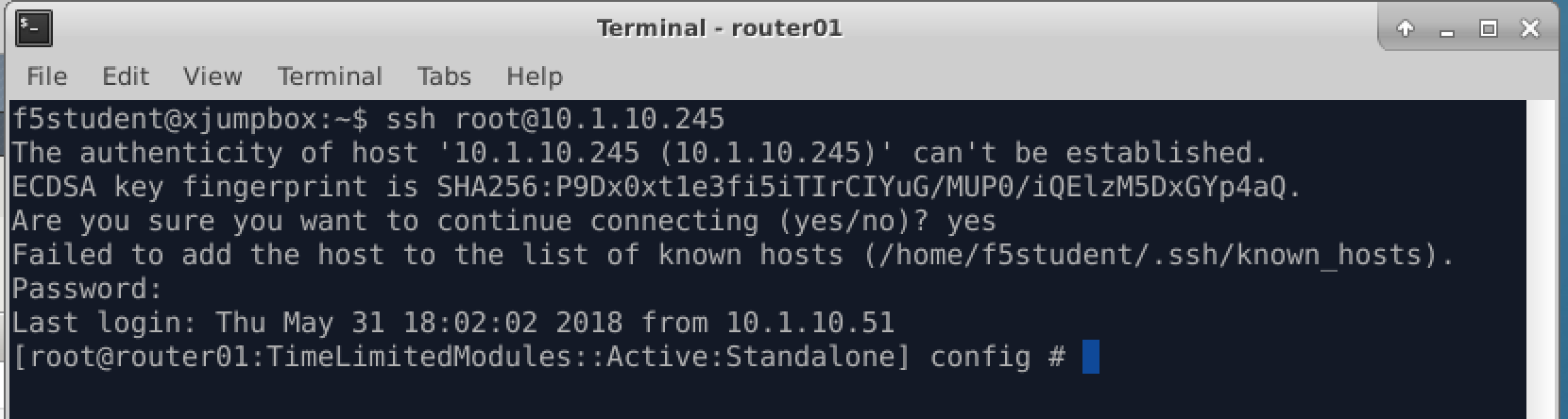
You can copy and paste the commands below to ensure correct syntax.
TMSH
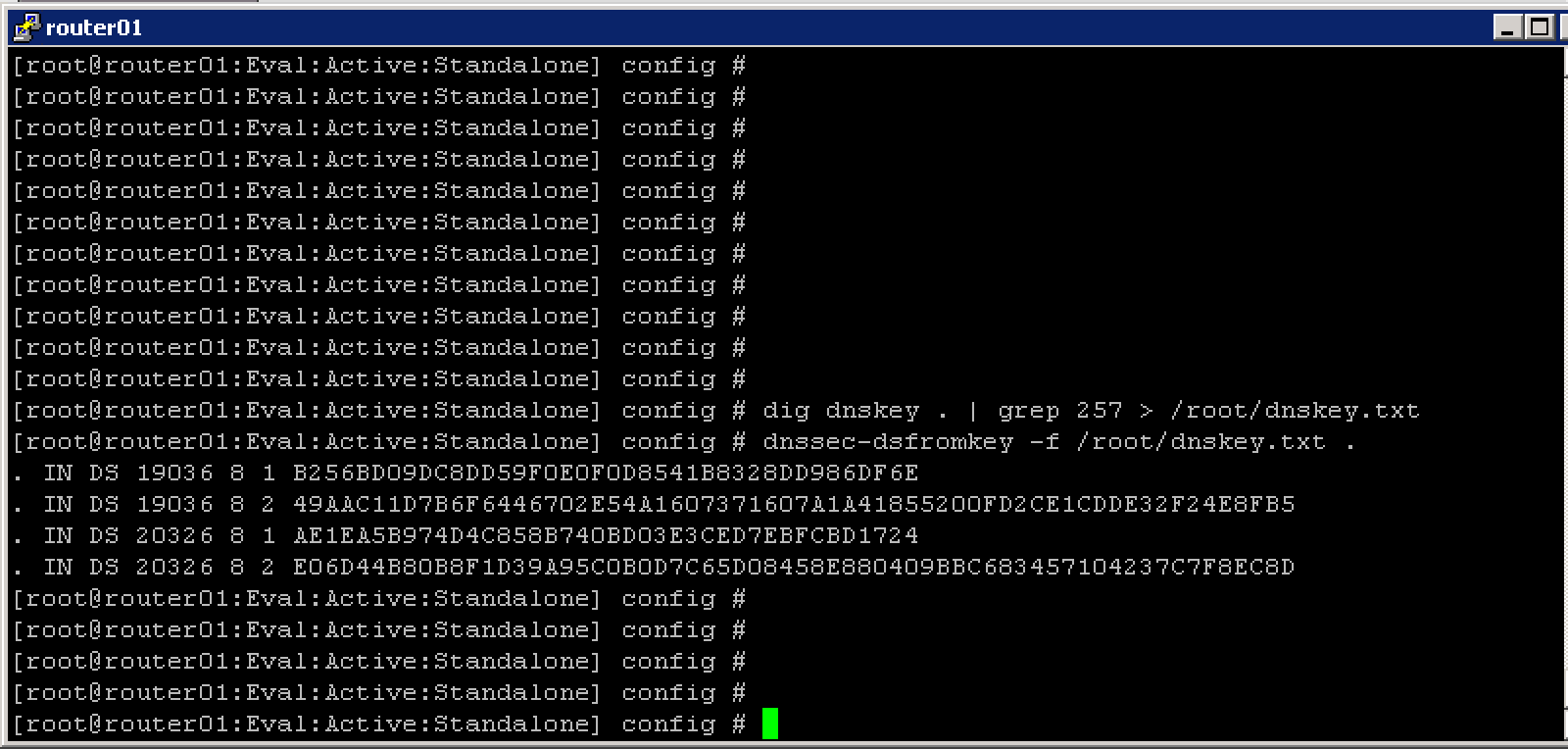
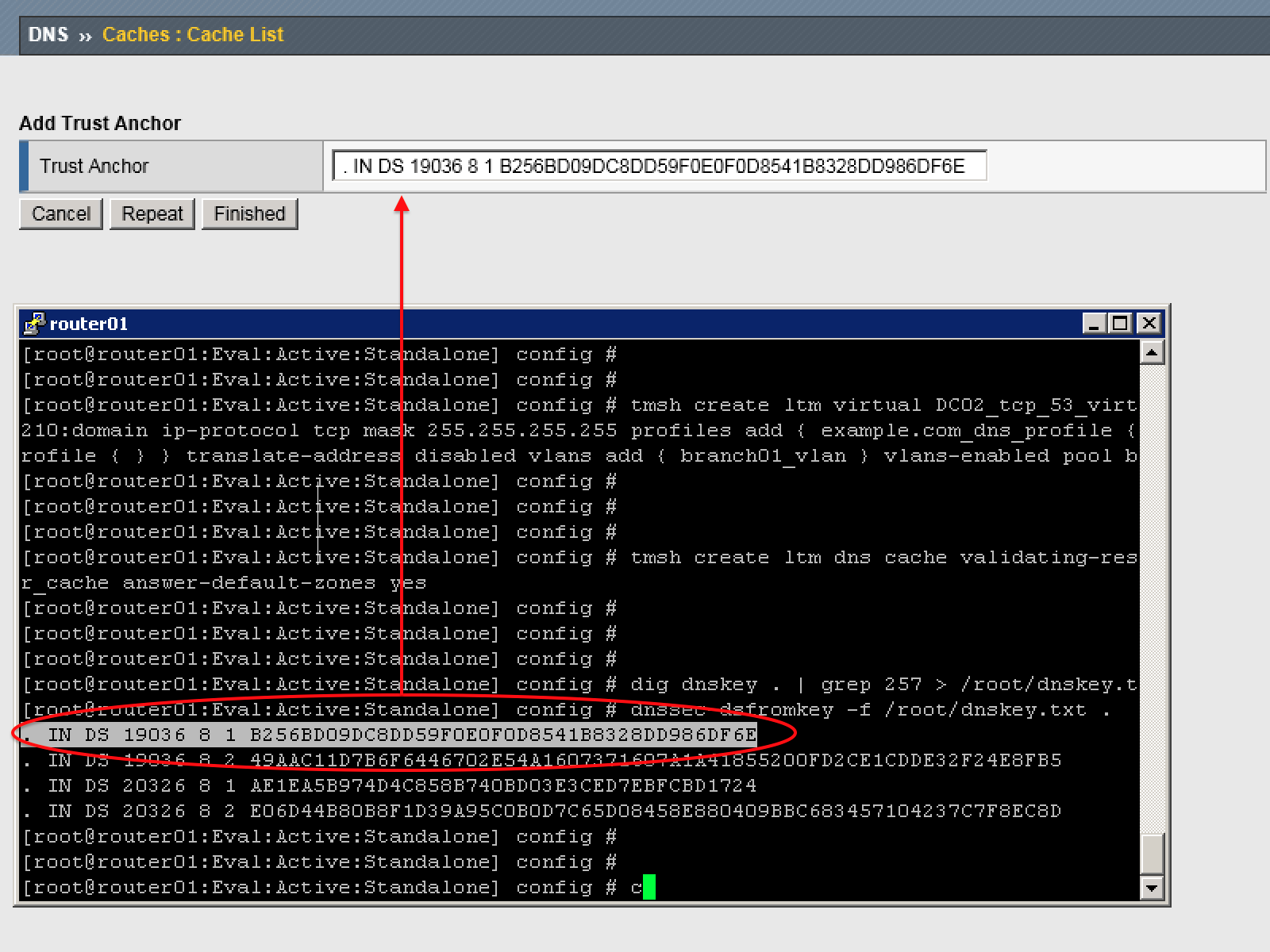
dig dnskey . | grep 257 > /root/dnskey.txt
dnssec-dsfromkey -f /root/dnskey.txt .
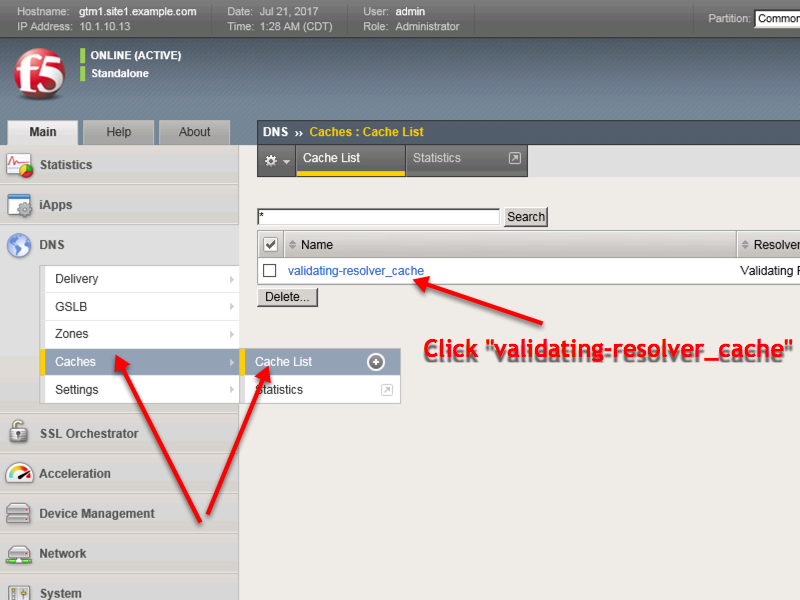
Navigate to: DNS ›› Caches : Cache List ›› validating-resolver_cache : Trust Anchors
Select the validating-resolver_cache and click “Trust Anchors”
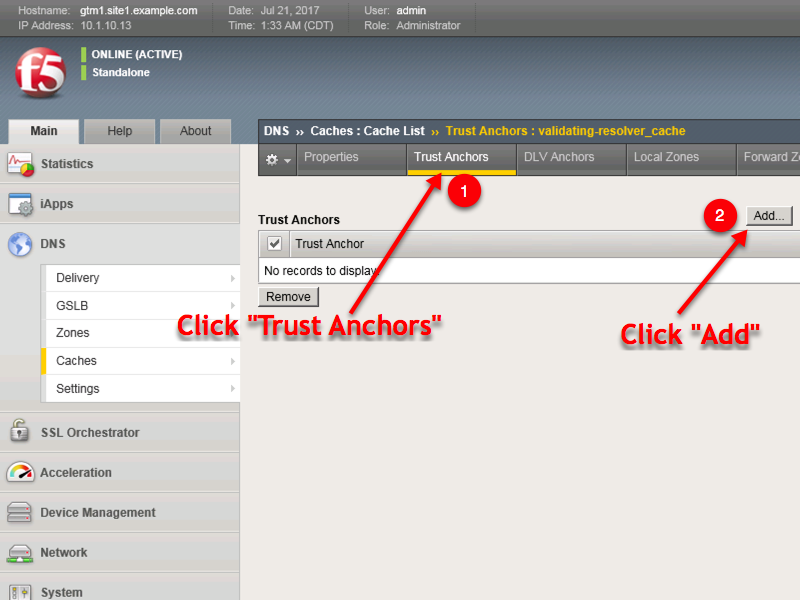
For each line of output from the preceding command create a “Trust Anchor”
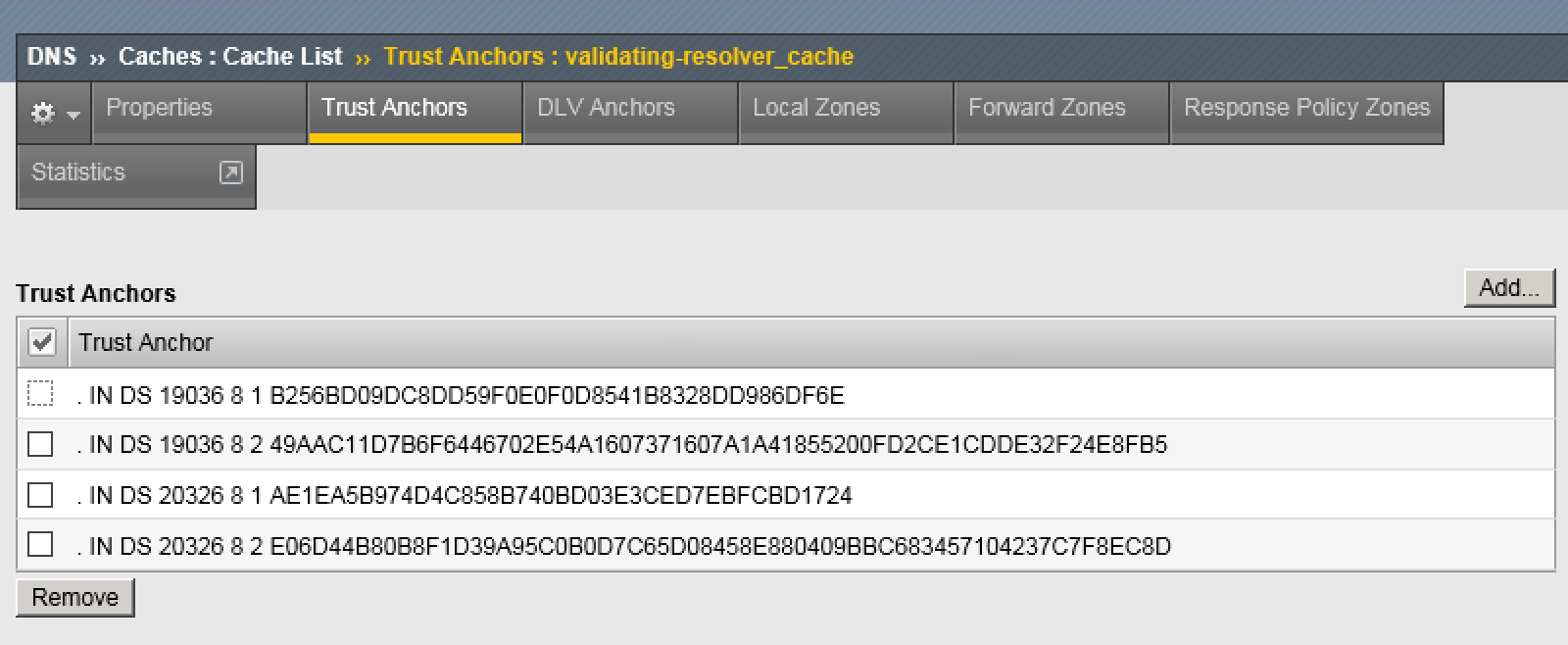
1 | tmsh modify ltm dns cache validating-resolver validating-resolver_cache trust-anchors replace-all-with { ". IN DS 19036 8 1 B256BD09DC8DD59F0E0F0D8541B8328DD986DF6E" ". IN DS 19036 8 2 49AAC11D7B6F6446702E54A1607371607A1A41855200FD2CE1CDDE32F24E8FB5" ". IN DS 20326 8 1 AE1EA5B974D4C858B740BD03E3CED7EBFCBD1724" ". IN DS 20326 8 2 E06D44B80B8F1D39A95C0B0D7C65D08458E880409BBC683457104237C7F8EC8D" }
|