3.3. Results
The BIG-IP will now be an authoratative slave for the example.com zone. This protects the master as well as increases performance utilizing the BIG-DNS delivery engine.
Click on the newly created DNS Express zone and make sure it is showing green for ‘Available’ indicating that the initial AXFR transfer was successful.

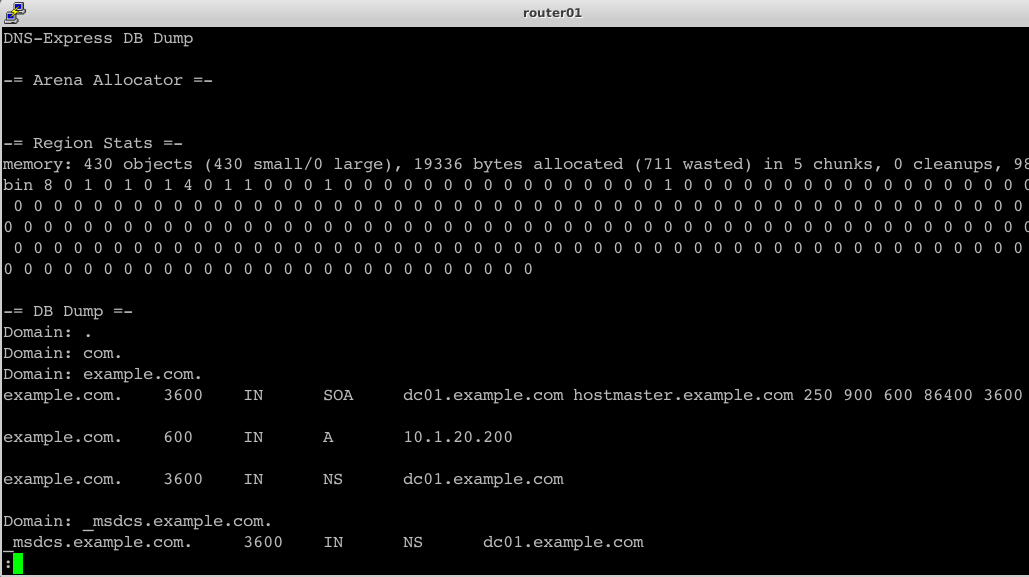
You can use the dnsxdump utility to view the DNS Express database information, which includes zone information and statistics.
- The DB Dump section of the dnsxdump utility output displays the zone information for all configured DNS Express zones.
- The DB Stats section of the dnsxdump utility output displays a cumulative count of records for all configured DNS Express zones.
- Using putty from the taskbar, log in to router01.branch01.example.com using u: root p: default
Run the following command to see the contents of the DNS Express database:
dnsxdump | lessExamine the results